更新
- 2015-11-27:增加了利用NSTextAttachment的bounds属性修改大小的方法。
前言
本文是基于UITextView编辑时插入自定义表情-简单的图文混编写的,主要实现了在UITextView插入表情图片时,自定义表情大小的功能。
Github
本文代码工程地址:https://github.com/zekunyan/UITextViewDIYEmojiExample
Gif示例图
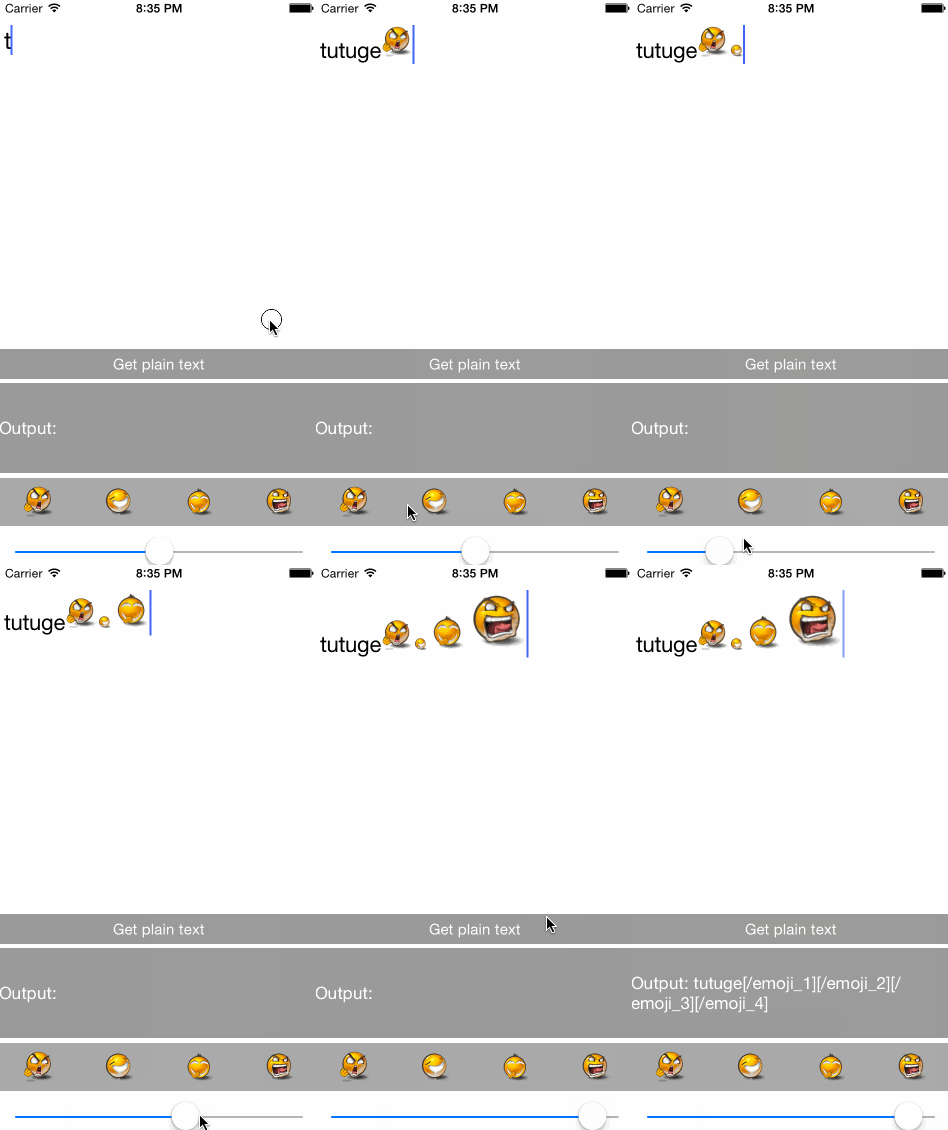
关键点
首先要明确我们要什么,很简单,就是指定NSTextAttachment在被绘制时的大小。
所以,按照这个思路,就可以去找找NSTextAttachment类的相关方法,看能不能通过继承或其他的方式改变大小。
方法1 - NSTextAttachmentContainer
NSTextAttachment实现了“NSTextAttachmentContainer”这个Protocol,而这个Protocol里面有如下方法:
- (CGRect)attachmentBoundsForTextContainer:(NSTextContainer *)textContainer
                      proposedLineFragment:(CGRect)lineFrag
                             glyphPosition:(CGPoint)position
                            characterIndex:(NSUInteger)charIndex
再看看其解释:
Returns the layout bounds of the text attachment to the layout manager. (required)
也就是说,在绘制NSTextAttachment的内容的时候,内容的“Bounds”是通过这个方法获得的。所以,可以重写这个方法,来达到我们的目的。
方法2 - 直接修改bounds
NSTextAttachment还有一个属性@property(nonatomic) CGRect bounds,其解释如下:
Defines the layout bounds of the receiver's graphical representation in the text coordinate system.
所以,修改这个也可以达到目的。
实现方法1 - 继续扩展NSTextAttachment类
保存自定义Size
根据之前的定义,我们在自定义的类“EmojiTextAttachment”中再加一个保存大小的属性,如下:
//EmojiTextAttachment类定义

@interface EmojiTextAttachment : NSTextAttachment
//表情的字符串表示,见前文
@property(strong, nonatomic) NSString *emojiTag;

//新增:保存当前表情图片的大小
@property(assign, nonatomic) CGSize emojiSize;
@end
有了“emojiSize”这个属性,我们就可以在自由的指定每个NSTextAttachment的大小。
重写
接下来就是重写方法,不多说,见代码:
//EmojiTextAttachment实现

@implementation EmojiTextAttachment

//重点!重写NSTextAttachmentContainer Protocol的方法
- (CGRect)attachmentBoundsForTextContainer:(NSTextContainer *)textContainer proposedLineFragment:(CGRect)lineFrag glyphPosition:(CGPoint)position characterIndex:(NSUInteger)charIndex {
	// 返回我们指定的size
    return CGRectMake(0, 0, _emojiSize.width, _emojiSize.height);
}
@end
实现方法2
直接在创建表情NSTextAttachment的时候设置bounds属性即可。
使用
增加了emojiSize属性后,我们就可以在创建表情,甚至创建后,自由的调整每个NSTextAttachment的大小。
总结
一共只增加了十几行代码,但是效果还是不错哒~